 NAINO
Cut the dead air.
NAINO listens to your stream, finds where you stop talking and cuts it out. You check every cut, add what makes it yours, and export a finished video. It all happens on your own computer.
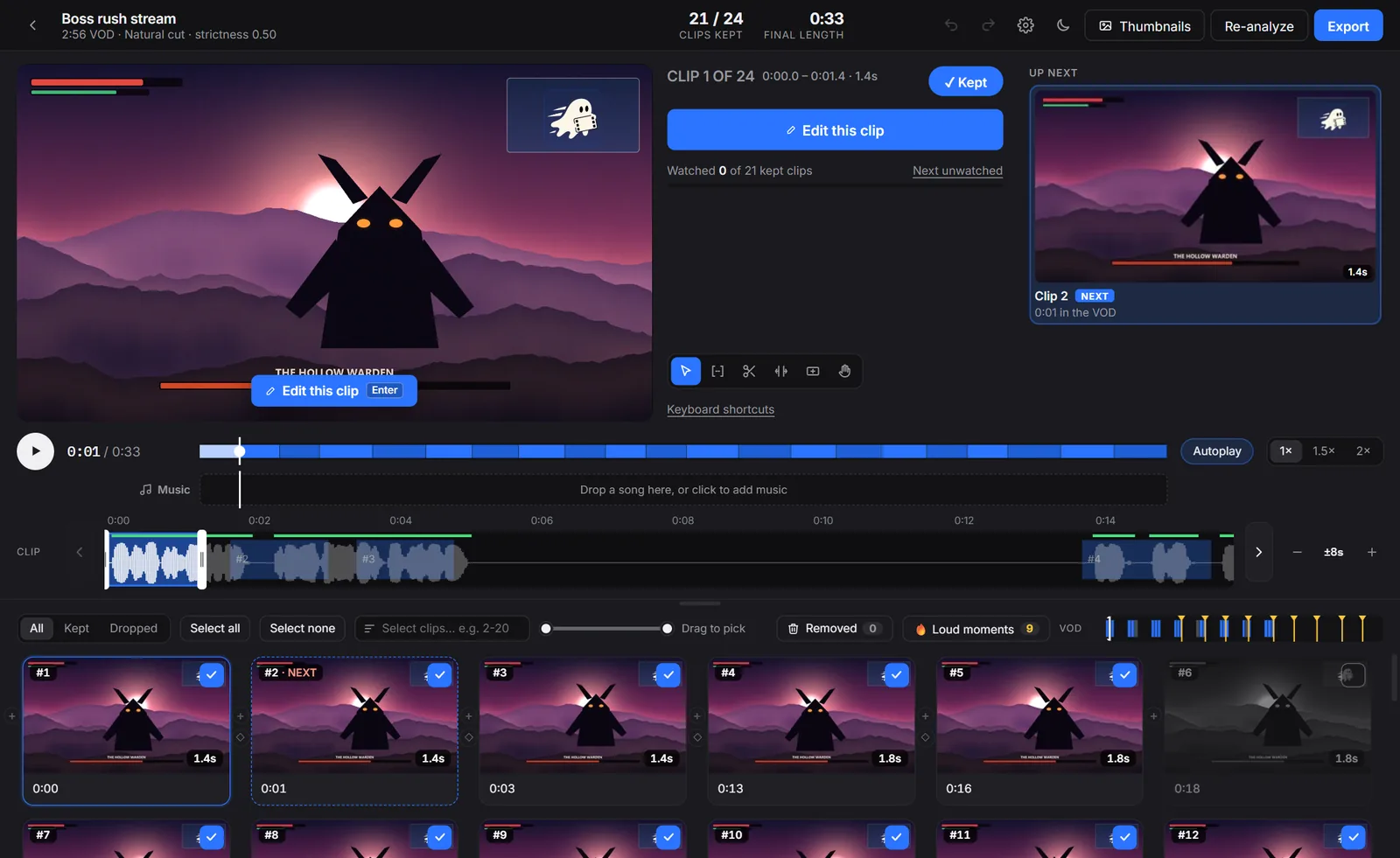
The review screen, with made-up sample footage. Every clip is on the grid, ready to keep, drop or trim.
A long stream in, a finished video out
-
Open your recording
Pick the file from OBS or a Twitch download. NAINO finds everywhere you talk and keeps the moments you flagged with an OBS chapter marker, even silent ones.
-
Check the cuts
Press play and watch the edit straight away, with nothing to render first. Drag a clip's edges, drop a bad take, reorder clips or add new ones.
-
Export
Get one finished video, or numbered clips to bring into another editor. It uses your graphics card when it can, at about 9× real time on an RTX 3070.
Everything after the stream, in one app
The edit, the Shorts and the thumbnail all come from the same recording, so you never have to move files between programs.
The long edit
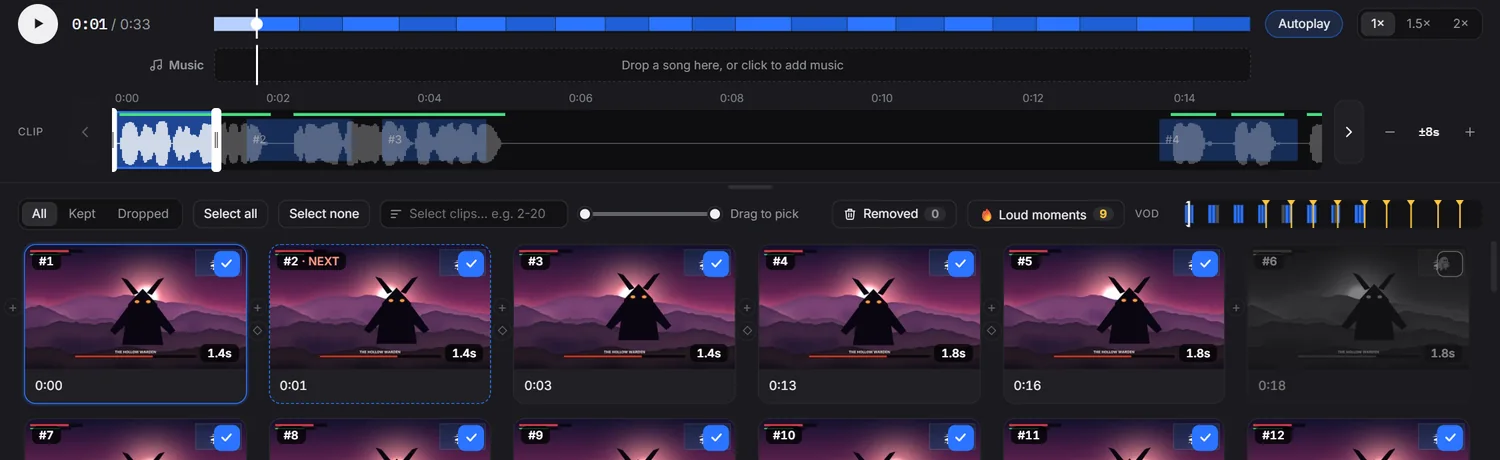
Your clips sit on a waveform with your voice marked, so you can see what to trim before you hear it.
- Zoom in on the action, and have the zoom follow an enemy across the screen
- Music that gets quieter while you talk
- Text, pictures, sound effects and green-screen memes on any clip
- Transitions and effects, with previews made from your own footage
Shorts that find themselves
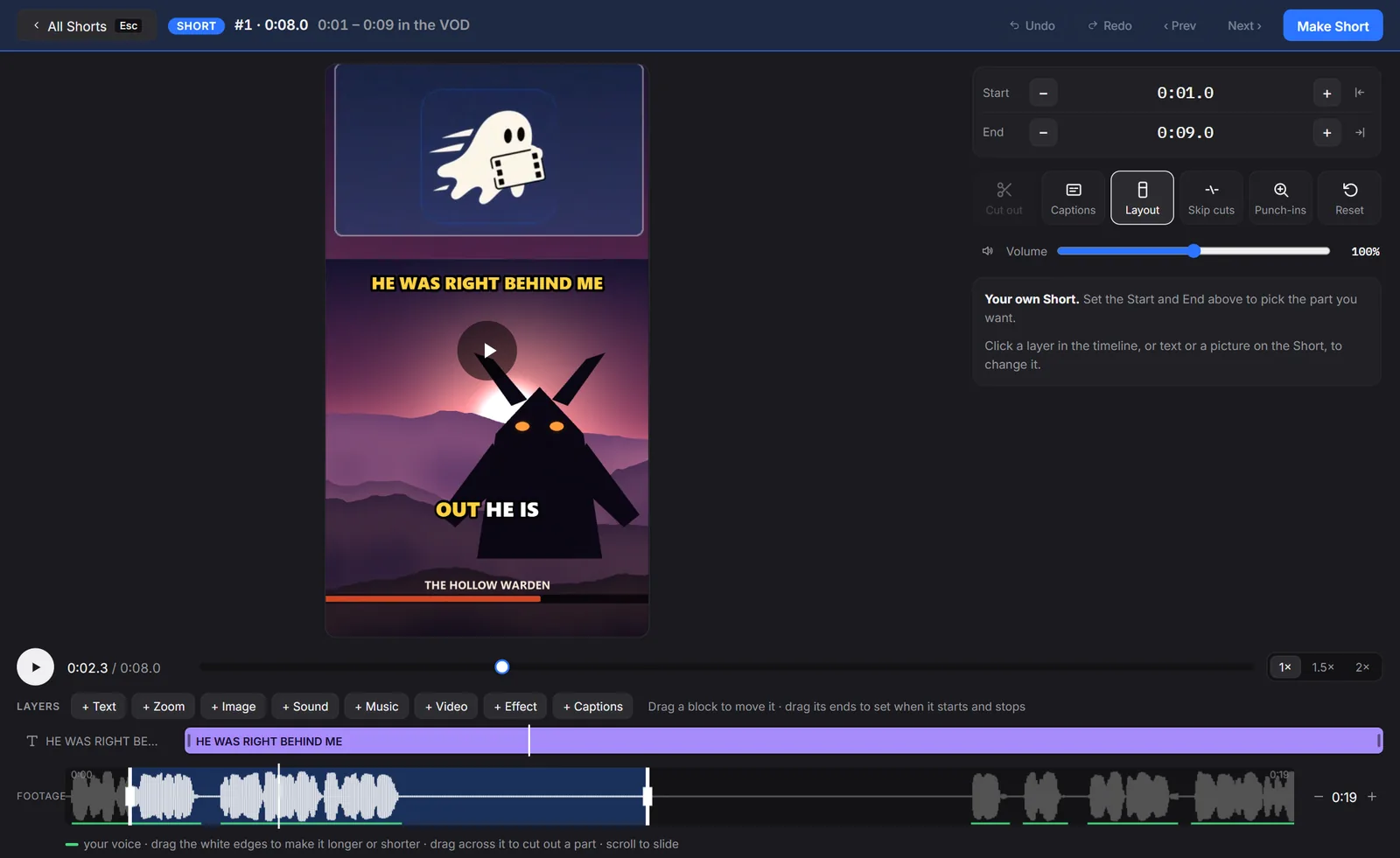
NAINO ranks the best moments of your VOD and tells you why each one made the list.
- Reads your reactions, your talking, your OBS markers, on-screen action and deaths
- Counts the clips your viewers made, when you sign in with Twitch
- Facecam on top and gameplay below, in layouts you can drag around
- Word-by-word captions, written on your computer (English for now)
- Punch-in zooms at your biggest reactions, in one click
Thumbnails, built in
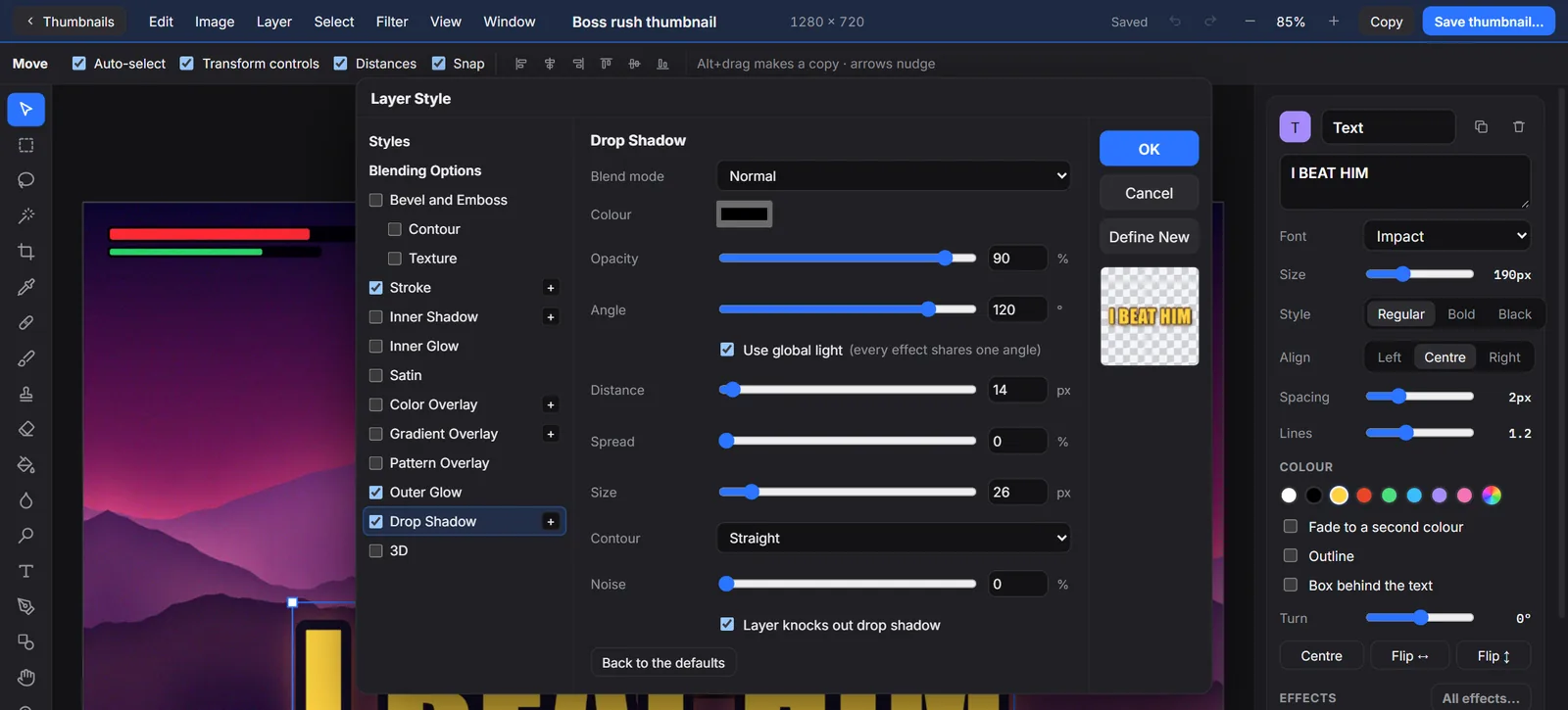
A full picture editor is built in, with layers, selections and the effects you'd expect from a professional tool.
- Stroke, glow, drop shadow, bevel, gradients and more, on any layer
- One-click background remover that runs on your computer
- Brushes, healing, clone stamp, filters and smart objects
- Frames from your own VOD, a click away
Your footage never leaves your computer
Online clip tools make you upload hours of video, and many limit how many minutes you get. NAINO does the work on your own machine, so there's nothing to upload and no limit to run into.
| Typical online clip tool | NAINO | |
|---|---|---|
| Your video | Uploaded to their servers | Stays on your computer |
| How much you can edit | Often limited by minutes or clips | As much as your disk can hold |
| The whole-VOD edit | Usually clips only | Included, with Shorts and thumbnails |
Pick your plan
Download NAINO, sign in with your email and choose a plan inside the app. Cancel anytime, and you keep access until the end of the time you've paid for.
Beginner
or $150 a year, 2 months free
- The full VOD editor, with no limit on length
- Waveform review, trims and reordering
- Zooms, music, text, effects and transitions
- No watermark
Full-Time
or $300 a year, 2 months free
- Everything in Beginner
- Shorts: up to 20 ranked moments per video, captions and punch-in zooms
- The Thumbnails editor and background remover
- Your Twitch dashboard
Business
for agencies and content groups
- Everything in Full-Time, for your whole team
- One bill and pricing that fits your team
Email [support email] and tell us about your team.
| What it runs on | Windows | Mac |
|---|---|---|
| System | Windows 10 or 11, 64-bit | macOS 13 or later, Apple Silicon (M1 or newer) |
| Memory | 8 GB. 16 GB recommended. The background remover needs about 6 GB free while it runs. | |
| Space | About 1.1 GB, plus room for your videos | |
| Graphics | Fastest with NVIDIA. Also uses AMD and Intel encoders, and works with no graphics card at all, more slowly. | Uses Apple's built-in video encoder |
Questions
Does NAINO upload my videos anywhere?
No. Your videos, projects and thumbnails stay on your computer. NAINO only goes online to check your plan, to download its speech and background-remover models the first time you use them, and to talk to Twitch if you choose to sign in.
What happens if I cancel?
You keep access until the end of the time you've paid for. After that NAINO asks you to choose a plan before you can use it again. Your projects and videos stay on your computer, so they're all there if you come back.
Do I need to be online to use it?
Only now and then. NAINO checks your plan when it can, and keeps working offline for up to 14 days between checks.
Is there a free trial?
There's no trial version. Instead you have 14 days after your first payment to ask for a full refund, for any reason.
Which videos does it work with?
MP4 and MOV files, from any source: OBS, a Twitch download, YouTube, Kick or a capture card. If you record to MKV, use File > Remux Recordings in OBS first, which takes a moment and doesn't change the quality.
Do I need a Twitch account?
No. Signing in with Twitch is optional. It adds your past broadcasts, your viewer clips and a dashboard of your stats. NAINO only asks to know who you are, and never gets permission to change anything on your channel.
Will it work on my computer?
If you can stream or play games on it, almost certainly. A graphics card makes exports much faster, but NAINO still works without one. On a Mac, you need Apple Silicon: M1 or newer.
Does it replace my current video editor?
For most stream edits, yes. If you like your editor for finishing touches, export numbered clips from NAINO and bring them in, with the dead air already gone.
What languages do captions support?
English for now. Cutting silence works in any language, because NAINO listens for a voice instead of reading the words.
What happens when a new version comes out?
Updates are included in your plan, and your projects carry over.